Listen together,
perfectly in sync.
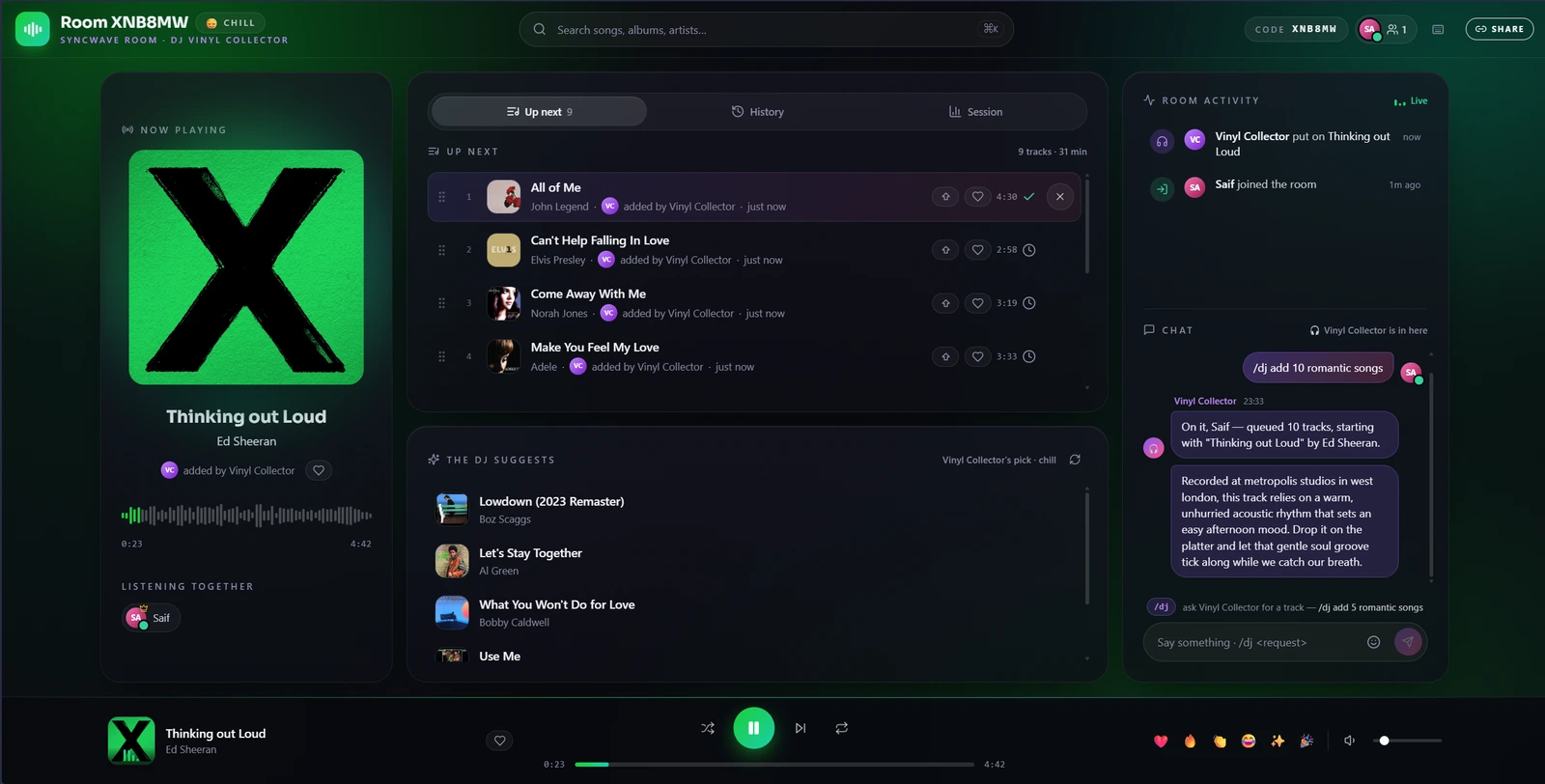
Spin up a room, share one link, and hear the same song at the same moment — shared queue, live chat, reactions and an optional AI DJ. No accounts, no subscription, running on your own machine.
- No accounts
- No Premium requirement
- Nobody’s servers but yours
What you get
Everything a room of people needs to run one queue together.
Locked to the same second
The server owns the clock and every listener renders their position from it, on a timebase that only moves forward. Nobody drifts, and nobody has to be told to press play.
A queue a room can run
Anyone adds. Upvotes move a track one place up, once per person, so ten people beat one enthusiast. Drag to reorder works on touch, and the server confirms every move.
You can tell who’s there
Typing, queueing, voting, away. Drop off wifi and your seat is held for twelve seconds rather than announcing that you left.
Chat, and a feed that isn’t chat
Conversation stays conversation. Joins, queues and skips go to a separate activity feed instead of burying what people are saying.
An AI DJ, if you want one
Six personas that introduce tracks in character and take requests. Bring your own provider — a local Ollama, Gemini on its free tier, OpenAI or Anthropic. Off by default, and everything works without it.
Yours, on your hardware
One process, no database, no accounts, and no third party sitting between the room and the music. Rooms and settings are JSON files on a disk you own.
How it goes
Three steps, and none of them is “make an account”.
- 01
Start a room
One click. No account, no sign-up, nothing to install for anyone joining.
- 02
Share the link
Or the six-character code. Guests open it and they’re in — phone, laptop, anything with a browser.
- 03
Press play once
Everyone hears the same second of the same song, and the queue is open to the whole room.
Open source
Run your own, in about a minute.
Double-click a launcher, or one Docker command. It fetches its own Node if the machine hasn’t got one, prints a public HTTPS link you can send to anyone, and stores everything in two folders you can back up or delete. MIT licensed.
Docker
cp .env.example .env
docker compose up -d --build
Data lives in ./data and ./cache. Nothing else on the machine is touched.